Declutter Photos Safely: Check the Backup Before Deleting
Distinguish synchronisation from independent copies, test recovery and use a small-batch process before clearing a household photo library.

Grow Here Editorial
Editorial Team
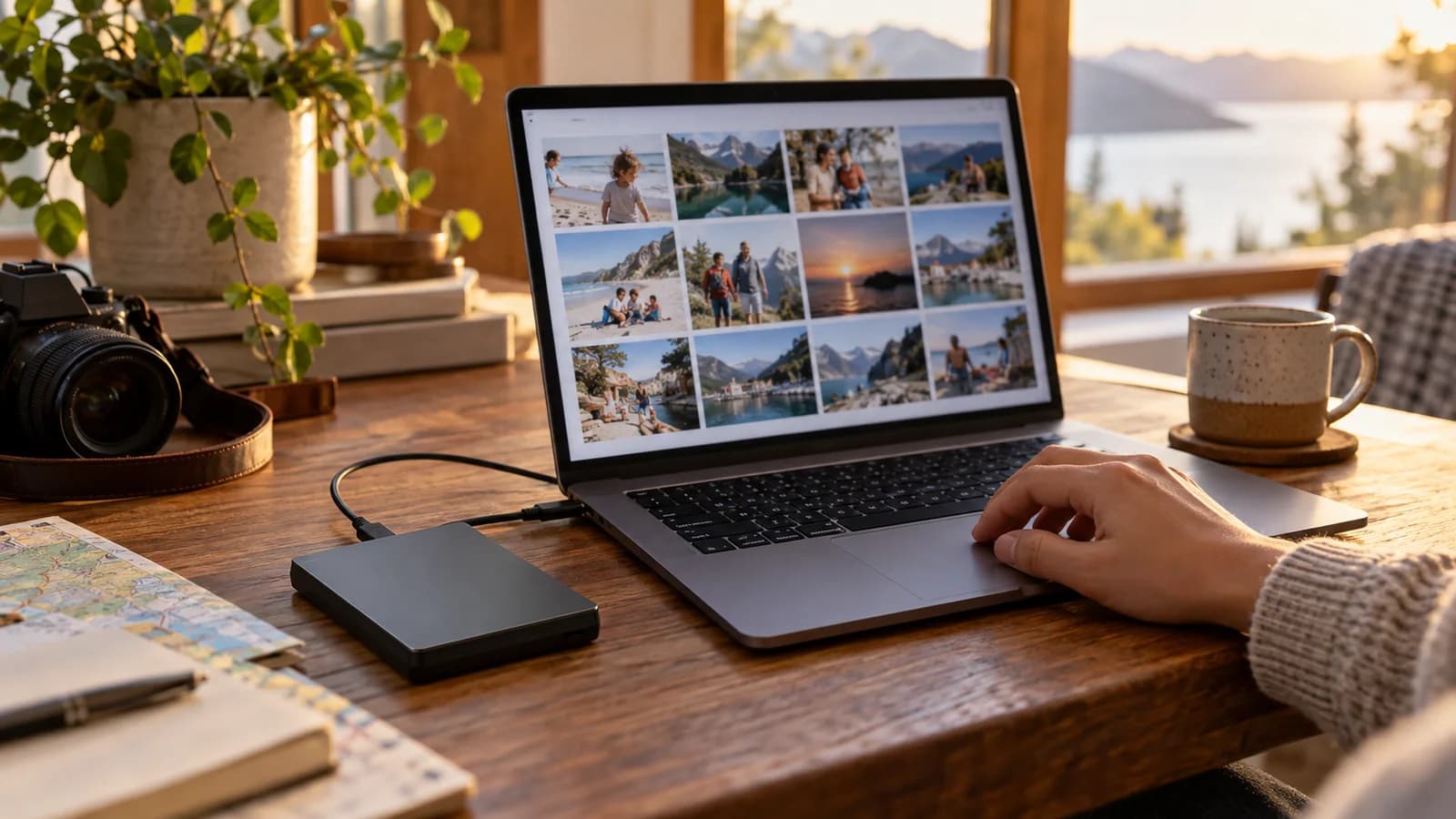
Before deleting photos, confirm where the originals are stored, whether deletions synchronise elsewhere and whether you can recover an independent copy. A second device showing the same library may simply mirror the first. Start with a small test group rather than clearing thousands of images in one action.
This is a careful household workflow, not a guarantee against every storage failure. Do not run a cleanup on someone else's library without their agreement or use an unverified duplicate-removal tool on irreplaceable material.
Map the library before changing it
List devices, accounts, cloud services, shared libraries and external drives. Write which account owns the photos and who needs access. Note whether the device contains full originals or storage-saving versions that rely on downloads.
Choose a sample containing an old photo, a recent photo, a video and any special format important to you. Check their dates, resolution and ability to open. A thumbnail appearing in a folder is not proof that the full file is stored there.
Our digital minimalism guide discusses reducing digital clutter. For photographs, recovery should come before tidy folders.
Understand the deletion behaviour
Apple's iCloud storage guidance explains that deleting an iCloud Photos item can delete it on other devices using the same Apple Account. Check your own service's current instructions before assuming that removing a phone copy leaves the cloud untouched.
Ask three questions: does this action delete everywhere, remove only a local download, or move an item to a recoverable bin? If you cannot answer, stop before deleting. Do not rely on a remembered recovery period from an old software version.
Account storage and device storage are separate constraints. Clearing phone space and reducing a cloud subscription may require different operations.
Create a recoverable independent copy
The NCSC backup guidance recommends backing up important data to a separate safe location, protecting access and checking restoration. It also advises disconnecting removable backup media when not in use.
Use the provider's export or download process to obtain originals where needed, and check whether metadata, albums or edited versions require separate handling. Choose enough capacity for the real files, not their visible thumbnails. Protect sensitive photographs and account access appropriately.
Keep a record of the copy date, source account, destination and what was included. Do not post the record with account credentials or recovery keys. An external drive kept beside the laptop is a separate copy but may still share risks such as theft or damage; consider those risks in your backup plan.
Test recovery before cleanup
Open the copied sample from the backup destination, including the video. Where the backup software requires restoration, restore the sample into a separate test location without overwriting the originals. Check the process you would actually use after losing access to the original device.
File counts and total size are useful checks, but they do not prove completeness on their own. Different export formats can change counts. Investigate discrepancies before treating the copy as verified.
For a shared household library, ask another authorised person to confirm important events or folders are represented. Do not assume your idea of a duplicate matches theirs.
Delete in reversible batches
Start with a small group you have personally reviewed and confirmed is backed up. Check what changes on linked devices. Avoid immediately emptying recoverable bins or deleting the independent copy because the first cleanup looked successful.
Imagine a family sees the same holiday album on a phone and tablet. Both synchronise with one cloud account. Deleting on the phone changes both views. A separately exported and checked copy would provide a different recovery route; the second screen alone would not. This is a fictional explanation, not a report of user testing.
If your main problem is too many alerts rather than storage, our email cleanup guide addresses that separately. Do not delete memories to solve an unrelated attention problem.
Before buying more storage hardware, use the inventory principle in our buy-less guide: check what you own, whether it works and whether it meets the actual backup requirement.
Frequently asked questions
Is cloud synchronisation the same as an independent backup?
Not necessarily. Check whether deletion and other changes propagate to all copies.
Can I trust thumbnails as proof of a backup?
No. Confirm the actual files can be opened at the expected quality.
Should I delete every visually similar image?
Review them. Similar frames may contain different people, quality or significance.
Must I pay for another cloud subscription?
No single method suits everyone. Compare suitable cloud and removable-media options, security and recovery needs.
What if the backup test fails?
Stop cleanup, keep originals and investigate the copy or restore process before proceeding.
Verify one recovery route today
Map the account, copy a meaningful sample and demonstrate that you can open or restore it independently. Only then plan a small deletion batch. Keep the backup maintained after the cleanup so the next month's photos receive the same protection.
Grow Here Editorial
Editorial Team
Curating practical, evidence-backed advice for greener homes, sustainable systems, and intentional daily living across Grow Here.
Related Stories

Unsubscribe from Marketing Without Losing Important Emails
Separate promotional subscriptions from bills and account messages, handle suspicious senders safely and check filters before trusting them.

Household Phone Boundaries That Keep Urgent Contact Working
Agree quiet times around real caring and shift-work responsibilities, configure exceptions and test the contact routes together.
Borrow or Buy? A Library of Things Cost Worksheet
Compare borrowing fees, collection journeys, consumables and repeat use before buying an occasional-use household tool.